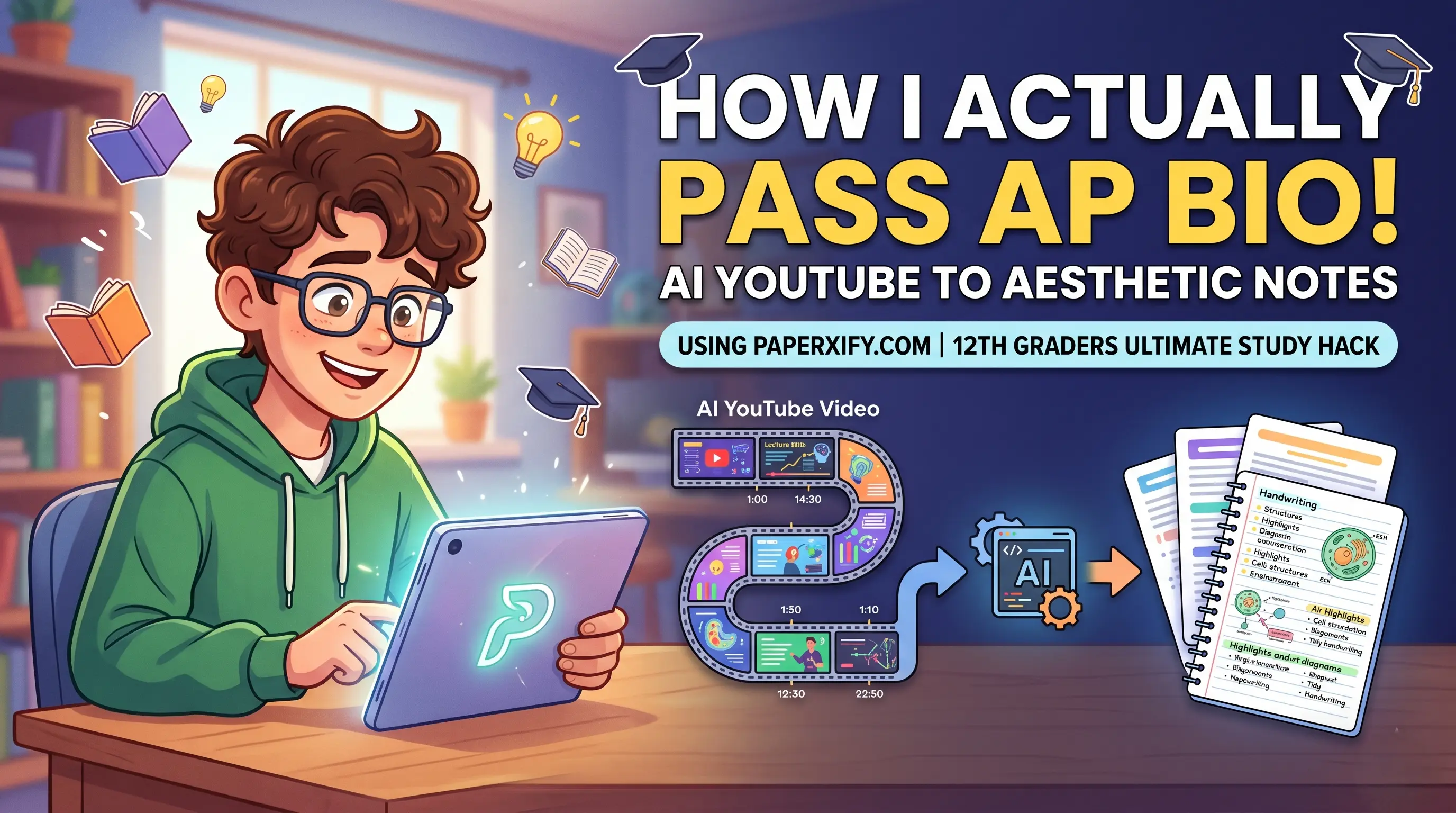
Struggling to keep up with 2-hour lecture videos? Here is how I use Paperxify.com's AI to generate aesthetic, organized notes in seconds and survive my senior year.
Hey everyone! If you are a high school senior like me, you already know the absolute chaos that is 12th grade. Between college apps, extracurriculars, and trying to maintain some semblance of a social life, the academic workload is intense. The worst part? When teachers assign those massive, 2-hour long YouTube documentaries or college-level lecture videos for homework, expecting us to take detailed notes. I used to spend hours pausing, rewinding, typing, and stressing out. That was until I discovered a platform called paperxify.com. Today, I am going to show you exactly how to generate AI YouTube long video summaries into beautiful, highly structured notes. This is the ultimate guide to using AI to study smarter, not harder.
# The Real Struggle of Watching Educational YouTube Videos
Let us be honest. YouTube is an incredible resource for learning. Whether it is CrashCourse for history, Khan Academy for calculus, or random university lectures for AP Physics, the information is all there. But extracting that information is incredibly inefficient. A 45-minute video can easily take two hours to take notes on if you are trying to capture every important formula or historical date. Plus, my handwriting gets super messy when I rush, and my Google Docs end up looking like a massive, unreadable wall of text. I needed a way to automate this process so I could actually spend my time studying the material instead of just transcribing it.
# Enter Paperxify.com: The Ultimate AI Note-Taking Hack
During one of my late-night study sessions, right before a massive AP Biology exam, I stumbled across paperxify.com. I was desperately searching for an 'AI YouTube video to notes generator,' and Paperxify popped up. I decided to test it out with a completely grueling 90-minute lecture on cellular respiration. What happened next literally blew my mind. I pasted the link, clicked generate, and within seconds, Paperxify gave me these perfectly structured, highly aesthetic, bulleted notes. It pulled out the key terms, created summaries, and even formatted the main concepts with bold text and subheadings. It felt like I had a genius study buddy doing all the heavy lifting.
"Paperxify literally saved my AP Biology grade. What used to take me 3 hours of pausing and rewinding now takes less than 30 seconds. It is the closest thing to magic on the internet."
# Step-by-Step Guide: How to Generate Beautiful Notes from Any Video
Using the platform is insanely easy. You do not need to be a tech genius to figure it out. Here is my exact workflow whenever I get a video assignment:
- Step 1: Find your YouTube video. Make sure it has spoken words or auto-captions (which almost all educational videos do).
- Step 2: Copy the YouTube URL from your browser or the share button.
- Step 3: Go to paperxify.com and paste the link straight into their main search bar.
- Step 4: Select your formatting preference. You can choose from 'Detailed Outline,' 'Quick Summary,' or 'Cornell Notes style.'
- Step 5: Hit 'Generate.' Wait a few seconds for the AI to process the transcript and do its thing.
- Step 6: Export your beautiful notes! I usually send mine straight to Notion or download them as a PDF to review on my iPad.
# Why Paperxify Notes Actually Look Good
A lot of AI summarizers just give you a blocky paragraph of text that is just as hard to read as the original video. What makes Paperxify.com different is its focus on aesthetics and structure. The AI breaks down the video into distinct sections based on topic changes. It uses bullet points, highlights vocabulary words, and even formats mathematical formulas or coding snippets correctly. If the video is about history, it automatically builds a timeline of events. If it is about science, it highlights causes, effects, and definitions. It is literally like buying those expensive, aesthetically pleasing study guides online, but you generate them yourself for free in real-time.
# My Subject-by-Subject Paperxify Strategy
I use this tool differently depending on the class. Here is a breakdown of how it has completely revolutionized my study schedule:
| High School Subject | Typical Video Assignment | Paperxify Strategy & Settings | Time Saved per Week |
|---|---|---|---|
| AP US History | 60-minute CrashCourse or documentary | Detailed Outline setting. Generates timelines and key figure bios. | ~4 Hours |
| AP Biology | 45-minute Amoeba Sisters or University Lecture | Cornell Notes setting. Perfect for memorizing complex processes. | ~3 Hours |
| Calculus | 30-minute Khan Academy walkthrough | Formula extraction mode. Pulls out steps without the fluff. | ~2 Hours |
# Is It Cheating? (Spoiler: No)
Some of my friends asked me if using an AI to take notes is considered cheating. Let us clear this up right now. The goal of studying is to learn and understand the material, not to prove how fast you can type while a video is playing. By using paperxify.com, I am bypassing the mechanical busywork of transcription. I still read the notes, I still highlight them, and I still use them to make flashcards. The only difference is that my brain is not exhausted by the time I actually sit down to memorize the concepts. It is an efficiency tool, plain and simple. Just like using a calculator in math class, using an AI summarizer in 2026 is just the smart way to operate.
# For the Tech Nerds: How Does It Actually Work?
If you are taking Computer Science and are curious about what is happening under the hood when you paste a link, it is actually a brilliant use of APIs. The platform fetches the video transcript, feeds it into a large language model (LLM) instructed with specific prompting for educational formatting, and returns the styled output. If you were trying to build a super basic version of this yourself (though it would not be nearly as pretty as Paperxify), it might look something like this:
Of course, paperxify.com does way more than that, dealing with chunking huge videos, applying formatting, and handling exports. But it is cool to think about how AI is literally reshaping how we interact with media.
# Watch It In Action
If you are still a bit skeptical, there are tons of creators online showing exactly how to use tools like this. Here is a great example of the workflow:
# Final Thoughts Before I Go Study
If you are a 12th grader, a college student, or honestly just someone trying to learn a new skill on YouTube, you have to try paperxify.com. Stop wasting your precious time manually pausing videos every 15 seconds. Let the AI do the tedious part so you can focus on actually absorbing the information. My grades have gone up, my stress levels have gone down, and I finally get more than 5 hours of sleep a night. Give it a try, and thank me later!
Written by Admin
Chief Editor
Expert contributor at Paperxify. Sharing insights on engineering, AI systems, and student success.